An automated Excel tool that pulls live pandemic data from the web, builds dynamic charts, and generates a printable PDF report — refreshed every time you open the file.
During the COVID-19 pandemic, organizations needed a way to monitor daily case counts across countries without manually downloading and reformatting spreadsheets every day. The data was publicly available on GitHub (Johns Hopkins CSSE), but turning raw CSV files into an actionable daily briefing required significant manual effort.
The goal was to build a zero-maintenance Excel tool that anyone could open to get an up-to-date summary — complete with charts, country breakdowns, and a print-ready PDF — without writing a single line of code or touching a browser.
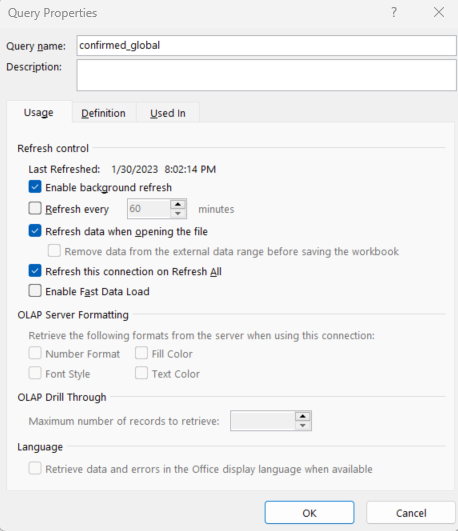
Pulls the latest case data directly from the web every time the workbook is opened — no manual downloads or copy-pasting required.
Shows new cases and cumulative totals for every country, with detailed tables that update automatically as new data arrives.
Pivot charts visualize trends over time and compare countries — all linked to the live data so they refresh automatically.
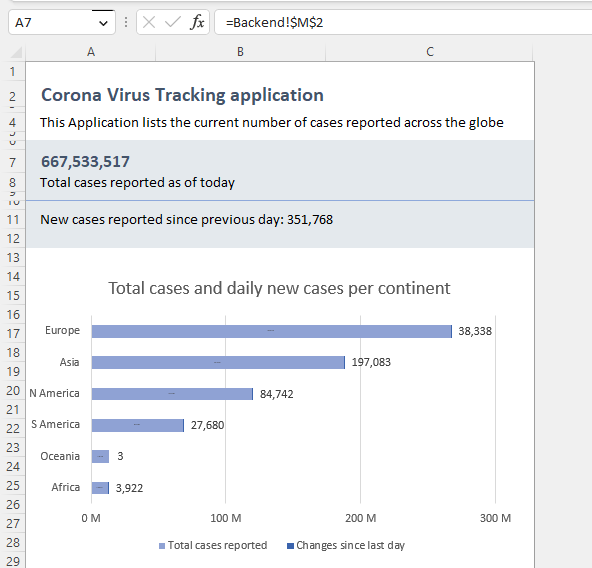
A formatted worksheet generates a print-ready PDF with calculated totals, dynamic charts, and detailed country tables — ready to share or print daily.
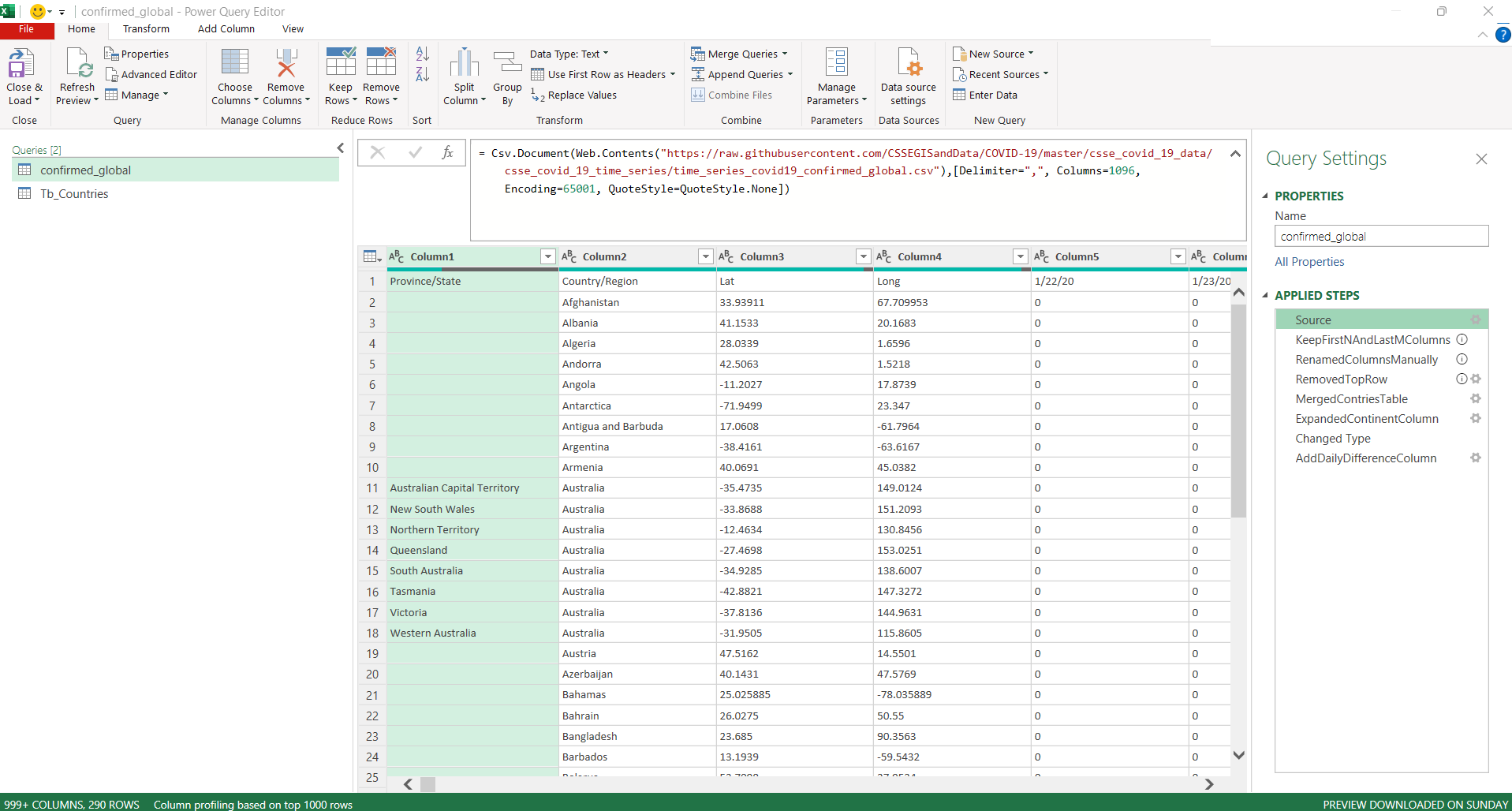
Power Query connects directly to the Johns Hopkins CSSE public GitHub repository. It downloads the latest time-series CSV, then applies data cleaning and transformation steps — no VBA or macros needed for the data pipeline.
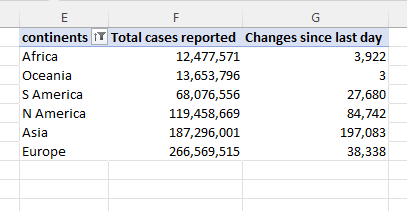
Behind the scenes, pivot tables aggregate the raw data into meaningful summaries — total cases by country, new cases per day, and global totals. These feed directly into the charts and the PDF report.
A dedicated worksheet is laid out with formulas that pull from the pivot tables, plus embedded charts. The print area is set so it exports directly to a clean, professional PDF.
Power Query is configured to refresh automatically every time the workbook is opened. Open the file in the morning, and you have today's numbers — no buttons to click.