A custom Excel VBA tool built for an architecture firm — imports timesheets and project data from Airtable, generates branded PDF invoices with one click, and includes a project analysis dashboard.
The client owns a small architecture company and was spending weekends manually generating invoices for customers. He tried several online invoicing tools, but none of them fit his workflow — he needed invoices that pulled from his team's actual timesheets, broken down by project phase, with the right hourly rates and task descriptions.
The solution: a custom Excel tool that manages the entire invoicing process. It imports project data from Airtable, pulls in monthly timesheets, and generates professional PDF invoices — all with one click. The tool also includes an analysis dashboard so the client can review revenue by project phase and track team hours.
The key design principle: use Excel's built-in power as much as possible. Instead of coding everything in VBA, the tool uses Excel formulas and templates for the invoice layout, with VBA controlling the process flow. This makes it easy for the client to adjust templates and keeps development lean.
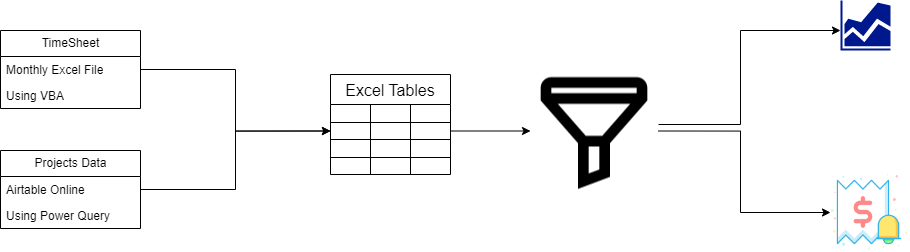
View Sample Invoice (PDF)Two data sources feed into Excel tables — the monthly timesheet (imported via VBA) and project data from Airtable (imported via Power Query). The data is filtered and processed to generate either an invoice PDF or an analysis dashboard.
Built VBA macros to import monthly timesheets and Power Query connections to pull project data directly from Airtable — no manual data entry needed.
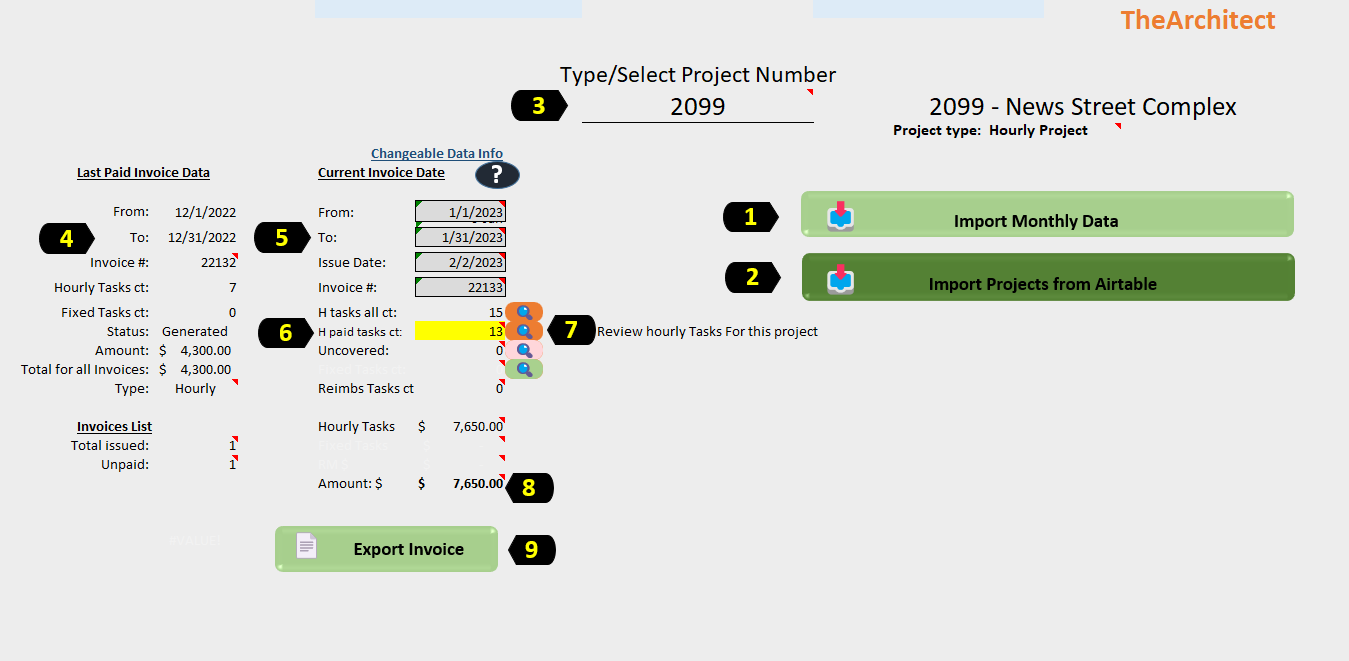
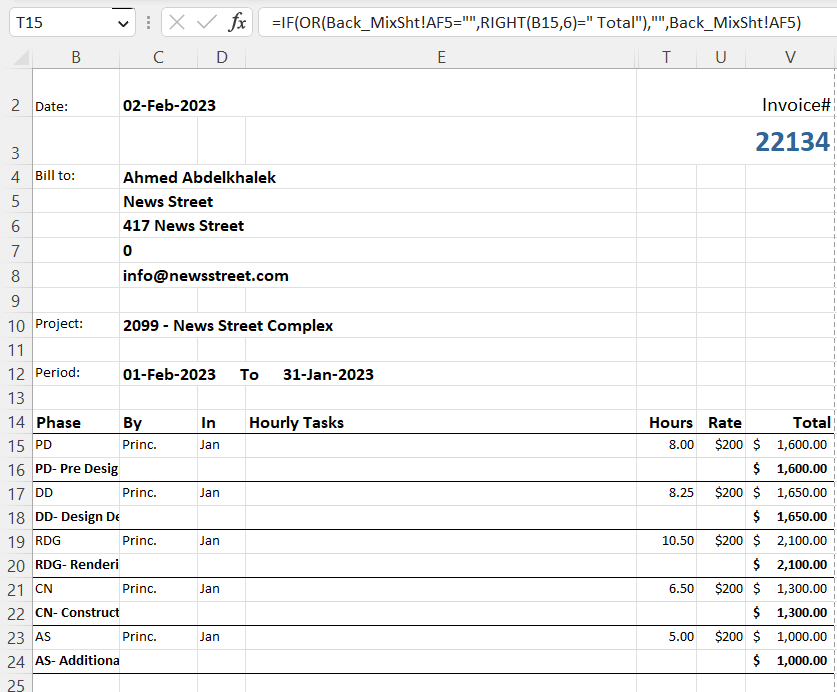
Select a project, set the billing period, and click "Export Invoice" — the tool assembles line items by phase, calculates totals, and exports a branded PDF.
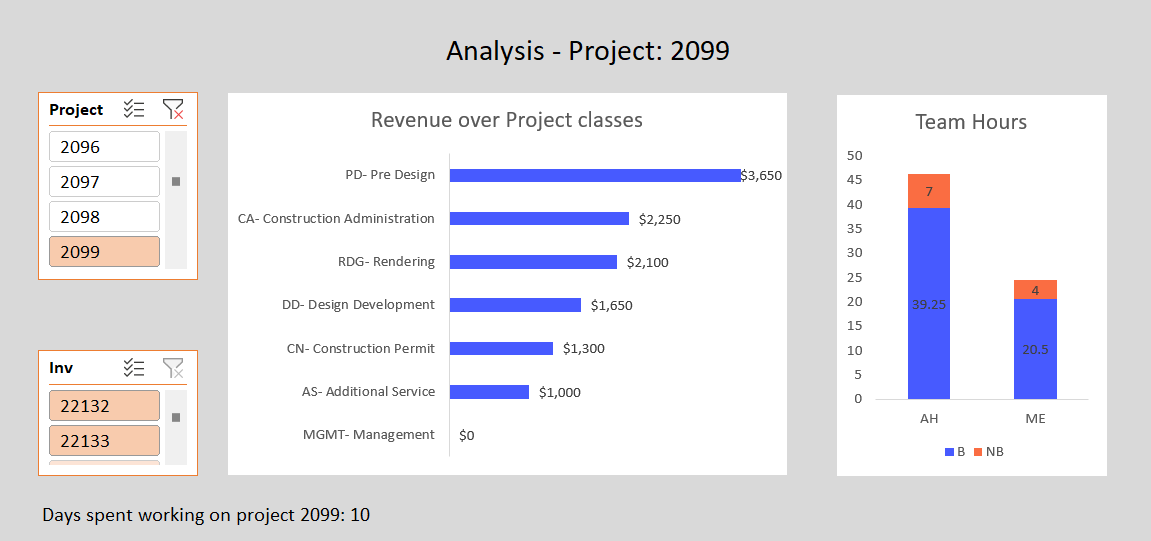
Interactive dashboard with slicers for project and invoice filtering. Shows revenue by project phase and team hours breakdown — helping the client track profitability.
Invoice templates and formulas live in Excel — VBA only controls the process. This makes it easy for the client to adjust layouts and keeps the tool maintainable.
The main control panel. The user selects a project number, sets the billing period, and sees a summary of tasks, hours, and amounts. Two import buttons pull fresh data from the timesheet and Airtable. The "Export Invoice" button generates the final PDF.
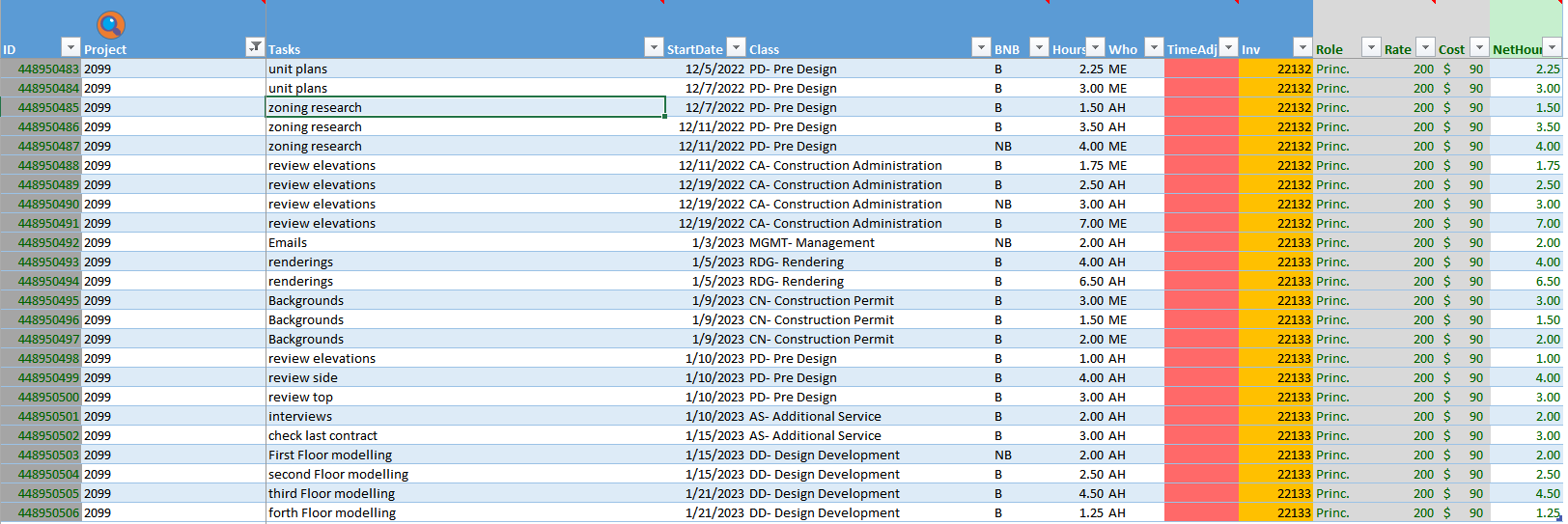
The monthly timesheet is imported and structured into a dynamic Excel table. Each row captures the task, project, date, phase classification, hours, role, rate, and net hours — all color-coded by invoice number for easy reference.
An interactive analysis page with slicers for project and invoice filtering. Shows revenue breakdown by project phase (Pre Design, Rendering, Construction Permit, etc.) and a stacked bar chart of team hours by role — so the client can see where time and money are going.
The invoice layout is built as an Excel template with formulas that reference the data layer. VBA populates the dynamic fields and exports to PDF. This approach makes it easy for the client to tweak the design without touching code.
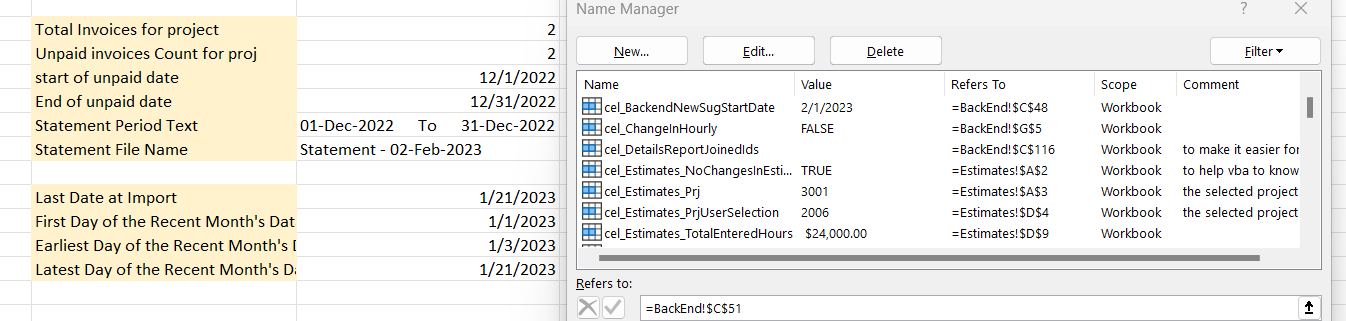
The tool uses named ranges extensively to keep VBA code clean and maintainable. Backend sheets store configuration data — invoice counters, date calculations, and project metadata — all referenced by descriptive names in the Name Manager.